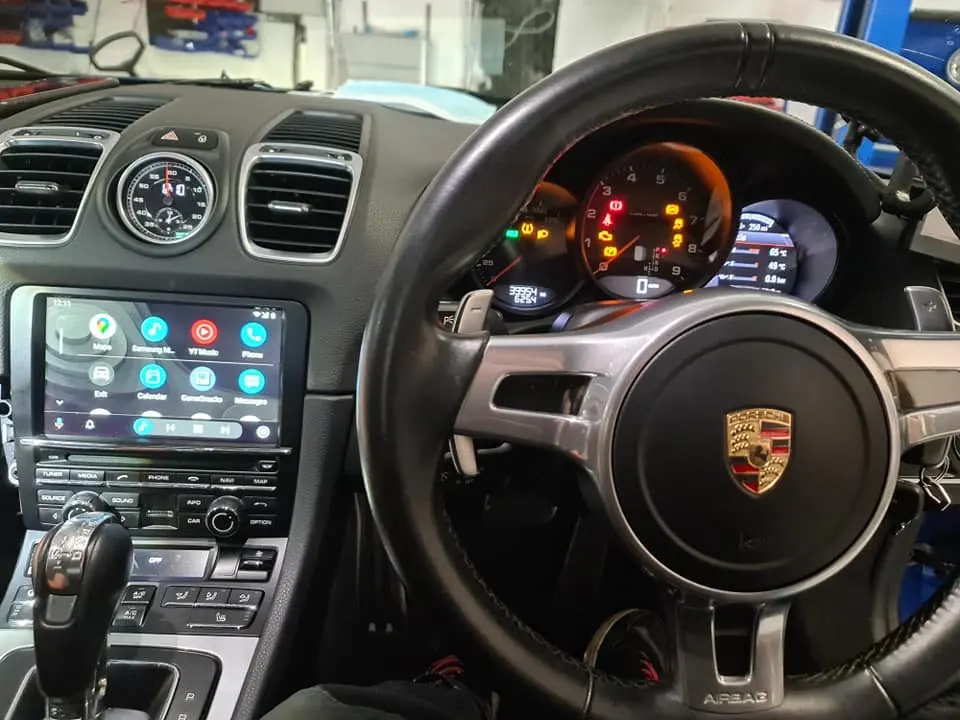
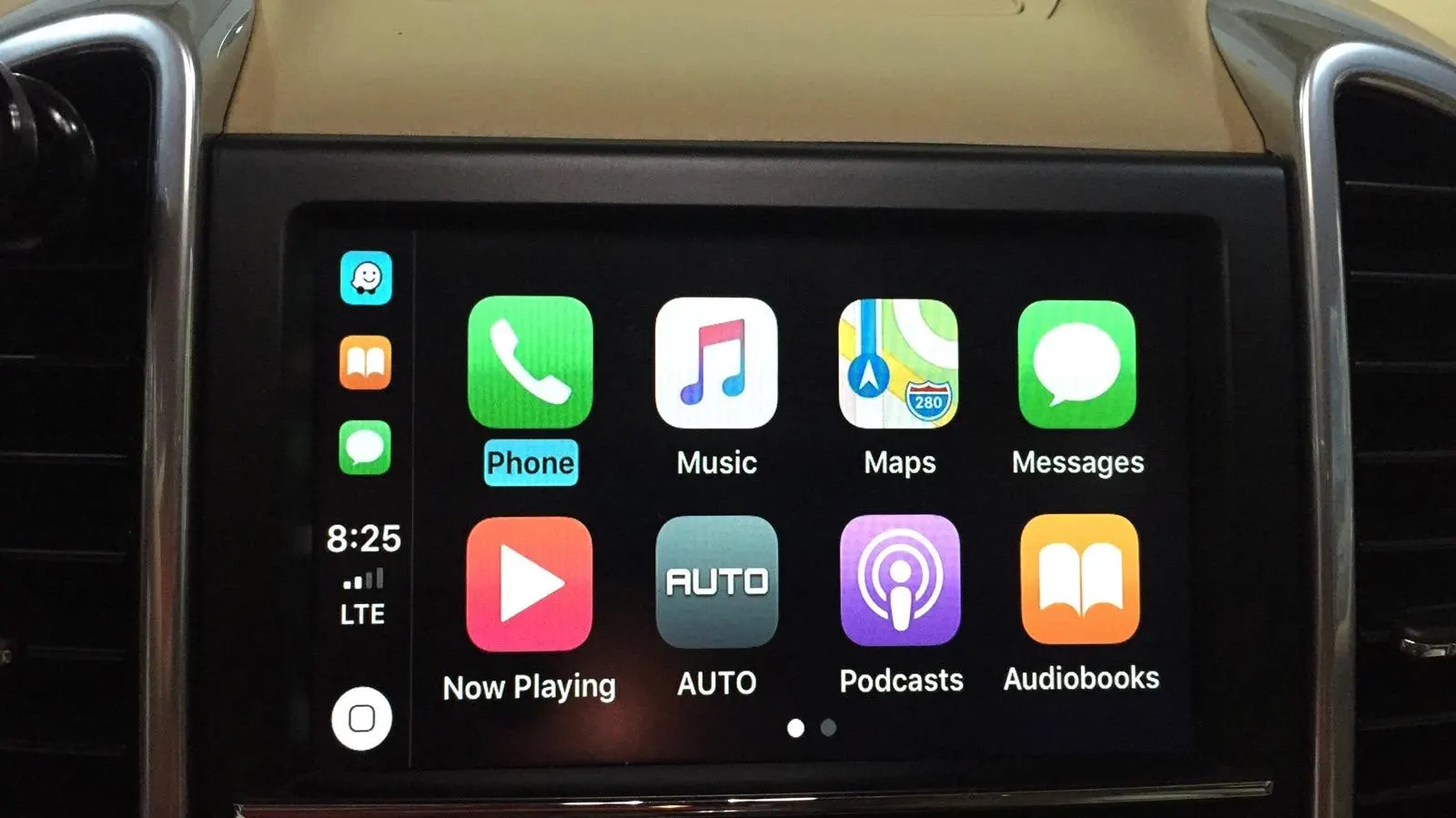
Porsche · Cayman · In-Car Technology
Wireless Apple CarPlay Adapter for Porsche Cayman 2010–2016 (PCM3.1)
Retrofit wireless Apple CarPlay, Android Auto, and full mirror-linking into your Porsche Cayman's factory PCM3.1 system — no head unit swap, no permanent modifications.
PCM3.1
Wireless CarPlay
Android Auto
2010–2016
Plug & Play
iOS 9+
Aluminium Housing
12V
Siri Voice Control
Overview
The Porsche Cayman built between 2010 and 2016 came equipped with the PCM3.1 infotainment system — capable for its era, but without the native smartphone integration that modern driving demands. Whether you're navigating unfamiliar roads, streaming music, or simply keeping your phone out of your hand, the absence of CarPlay is a daily frustration for many Cayman owners.
This PCM3.1 Wireless Apple CarPlay Adapter is engineered specifically for Porsche's factory system architecture. It integrates directly into your existing head unit, retaining all original controls — steering wheel buttons, screen, and interface logic — while adding full wireless Apple CarPlay, Android Auto, and Android Mirror-linking capability. There is no requirement to replace your factory system or drill any new holes.
Designed as a true plug-and-play solution, the adapter connects via the factory harness and communicates over CAN-Bus, meaning it works seamlessly with your car's electronics. Once paired, your iPhone connects automatically every time you get in — no cable, no fuss. Siri voice control, real-time navigation, hands-free calling, Spotify, Waze, and more are all available at a touch or a word.
What's Included
📦
CarPlay Adapter Module
PCM3.1-specific, aluminium housing
🔌
Wiring Harness
Factory-matched CAN-Bus connection
🎙️
External Microphone
Required — replaces factory SOS-integrated mic
📡
Bluetooth Antenna
Enables wireless iPhone pairing
🔧
Mounting Hardware
Including screws for Sirius Radio-equipped vehicles
📋
Installation Guide
Step-by-step printed instructions
Product Highlights
- Wireless Apple CarPlay — iPhone connects automatically via Bluetooth, no cable required
- Wired CarPlay also supported for maximum stability when preferred
- Full Android Auto compatibility for Google Maps, Spotify, and more
- Android Mirror-linking to cast your Android screen to the factory display
- Retains all original steering wheel and dashboard button controls
- Siri voice control for completely hands-free operation while driving
- Supports aftermarket and OEM reverse or front camera integration
- Offline video and music playback via USB flash drive (up to 32GB)
- Airplay support for wireless HD video streaming from iOS devices
- Plug-and-play CAN-Bus integration — no permanent modifications to your Porsche
Compatibility
This adapter is designed for Porsche vehicles fitted with the PCM3.1 infotainment system. Compatibility requires a NAVI button on the control panel. Vehicles with a CD-AUX button only are not supported.
| Model |
Years |
System |
Fit |
| Cayman |
2010–2016 |
PCM3.1 |
Direct Fit |
| Cayenne |
2010–2016 |
PCM3.1 |
Direct Fit |
| Macan |
2010–2016 |
PCM3.1 |
Direct Fit |
| Panamera |
2010–2016 |
PCM3.1 |
Direct Fit |
| Boxster |
2010–2016 |
PCM3.1 |
Direct Fit |
| 911 / 991 |
2010–2016 |
PCM3.1 |
Direct Fit |
| 718 |
2010–2016 |
PCM3.1 |
Direct Fit |
| Any model with CD-AUX only |
Any |
Non-PCM3.1 |
Not Compatible |
Installation Notes
Difficulty: Intermediate · Estimated Time: 45–90 minutes
- Confirm your vehicle has a NAVI button on the PCM3.1 control panel before beginning installation.
- Power down the vehicle and remove the factory PCM3.1 head unit from the dashboard using appropriate trim removal tools.
- Locate the factory harness connector on the rear of the head unit and connect the supplied wiring harness from the adapter module.
- Mount the adapter module in a suitable location behind the dashboard, ensuring adequate ventilation and no pinched cables.
- Route and connect the supplied external microphone to a discreet location on the A-pillar or sun visor area.
- Reinstall the head unit and trim panels, then power on the vehicle to verify the system initialises correctly.
- Pair your iPhone via Bluetooth — subsequent connections will be fully automatic and wireless.
⚠ Important: If your Porsche is equipped with Sirius Satellite Radio, additional mounting screws are required. Please notify us at the time of ordering and we will include them at no charge. The supplied external microphone must be used — the factory microphone cannot be retained due to its integration with the Porsche SOS emergency system.
Upgrade Your Drive
Your Porsche Cayman deserves a connected cockpit. This wireless CarPlay adapter brings modern smartphone integration to your PCM3.1 system without compromising the factory look or feel.
Shop This Adapter
Use code 22GET20 for 20% off any 2 items
⭐ 4.9/5 from 12,300+ verified reviews
🚚 Worldwide Shipping via DHL, FedEx & UPS
↩️ 30-Day Money-Back Guarantee
📞 +44 203 943 9919 Mon–Fri, 9am–7pm
Victorious Automotive is an independent retailer and is not affiliated with, endorsed by, or connected to Porsche AG, Apple Inc., or Google LLC. All brand names, model references, and trademarks are used for fitment identification purposes only. Always verify compatibility with your specific vehicle before purchase. Professional installation is recommended where required.